
Jira migrations shouldn't
feel like defusing a bomb.
We're Twinit, an Atlassian Partner behind Insight Assets Backup & Migration. Come see how real JSM Assets migration works when object keys move with your data instead of getting regenerated along the way. Live at Booth 106, Team'26 Europe Amsterdam, all week.



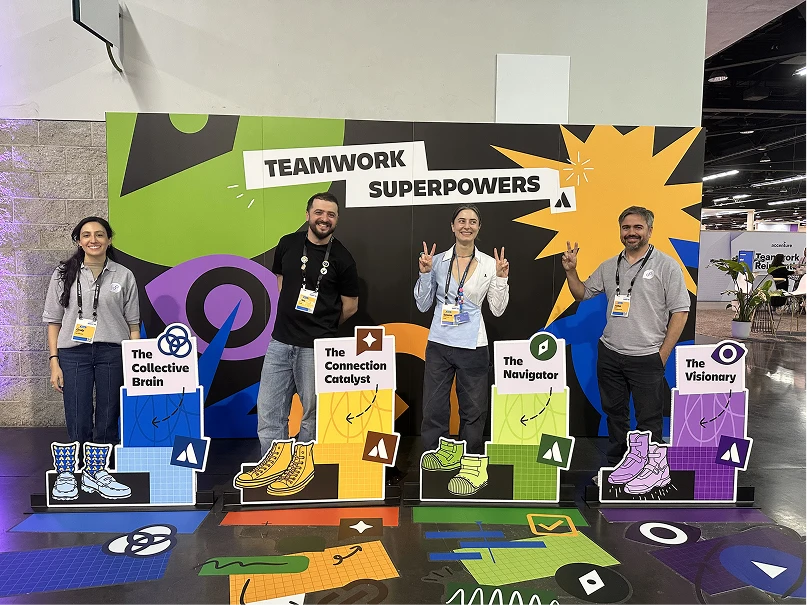
Come for the demo, We show up for the migrations everyone else avoids.
- 01 Bring us your hardest Assets migration, not your easiest one Most vendors demo the clean, simple case. We'd rather look at a complex Assets migration: deep object relationships, custom fields nobody documented, automation nobody wants to touch. Insight Assets Backup & Migration was built for exactly that, not the easy 10% everyone else demos.
- 02 You're talking to the people who do this No first-line script, no handoff to "someone will follow up." The engineers at this booth have run the migration engine behind Insight Assets Backup & Migration on Assets migrations most tools weren't built to survive.
- 03 Sometimes the answer is "you need more than an app" Bring your Jira or Confluence export. If an app can handle your migration, we'll tell you that. If it's a genuinely complex Assets migration, we'll tell you that too, and what real migration support actually looks like.
- 04 Swag that isn't another lanyard We'll let you judge that one for yourself at the booth.
Everything at our booth is a little bit magic.
Two things you have to earn.
Choose your character
Insight Assets Backup & Migration
Built by the same team that has migrated hundreds of Jira/Confluence instances by hand - because we got tired of watching native tooling lose Assets data.
😬 ProblemWhy native Jira migration falls short
- 01 Assets don’t survive the trip Native Jira migration flattens Insight/Assets schemas, object types and icon mappings - you land with broken references, not data.
- 02 No dry run, no rollback One shot, in production, with no diff to review beforehand and no safe way back if it goes sideways.
- 03 Manual field mapping hell Custom fields, automation rules and workflow schemes get mapped by hand - or silently dropped.
- 04 Downtime you can’t explain to the business Cloud migrations routinely freeze projects for hours (sometimes days) while assets re-index.
✅ FixHow Twinit solves it
- 01 Schema-aware Assets migration Object schemas, attachments and icon sets move as first-class data, not an afterthought bolted on after tickets.
- 02 Dry-run diff before anything moves See exactly what will change - object counts, broken references, orphaned attachments - before you commit.
- 03 Point-in-time restore Snapshot before migrating. If something looks wrong post-move, restore to the last known-good state in minutes.
- 04 Runs alongside your live instance Migrate in the background and cut over on your schedule - not whenever the export job happens to finish.
EXCLUSIVE CAPABILITY
Nobody else keeps your object keys. We built the migration that does.
In Assets, object keys like HW-1042 aren't cosmetic. They're the glue. Jira issues point at them through Assets custom fields. Automation rules match on them. Integrations and CMDB exports store them. Documentation references them directly. A standard restore into a new workspace assigns brand-new keys, and every single one of those references breaks silently. Not loudly, not with an error message. Just quietly, until someone notices weeks later.
- 📛 Standard restore:
HW-1042→HW-0001Objects get renumbered. Every issue link, automation rule, and integration has to be remapped by hand, across every schema.
- ✅ Key retention migration:
HW-1042→HW-1042Objects arrive with their original keys. Everything that referenced them keeps working, day one.
Everything you need before, during, and after the show
Atlassian Marketplace
Install our apps directly into your Jira or Confluence instance, ratings and reviews included.
View on Marketplace → 02Documentations
Setup guides, migration checklists and API references for every app we ship.
Explore Docs → 03Blog
Migration war stories, changelog deep-dives, and what we learned shipping to Atlassian Cloud.
Read the real stories →EXPLORE MORE OF TWINIT APP UNIVERSE

User Activity Audit Log
Optimize work processes, enhance security, and ensure compliance with comprehensive monitoring of user activities using the app or Jira dashboard gadgets. The User Activity Audit Log app offers seamless integration, visualizing key metrics for operational efficiency and accountability.

Better Search in Customer Portal
Looking for something on your Customer Portal? No worries, we've got you covered! With our smart search feature, you can easily find any request type, or registered request you need. And then some more - with the app you can search and display Asset objects, with the ability to hide fields, fill in with the default value, and create cascading Asset fields!

Customer Portal Notifications for Jira
Spice up your JSM Customer Portal with some snazzy in-app notifications, even for non-licensed users. Brace yourself for an epic dose of convenience and never miss out on crucial updates. Stay in the know in Jira and Confluence.

Push Notifications for Jira and JSM
Push notifications for the Customer Portal about the changes in issues for watchers, participants, assignees, reporters and creators. The app is compatible with Jira, Jira Work Management, Jira Products Discovery and Jira Service Management.
Let's put ten minutes
on the calendar.
Whether you're at the show or catching this from your desk, we'll make it worth your time.
Book a meeting →Leave a contact info and we'll get in touch shortly.
Your Assets data is the thing we're least willing to be careless with
We handle backup and migration for data teams depend on to keep Jira running. Here's how we treat it.


ISO isn't a certificate we point to.
It's how we work
Every process at Twinit, not just the ones facing a data stream, is built around ISO-aligned discipline. That's not a compliance checkbox we cleared once. It's the operating standard behind how backups run, how access is granted, and how changes get made internally, every time, not just when someone's checking.
Encryption everywhere it matters
Data is encrypted in transit and at rest. Backups aren't sitting around unprotected between runs.


Built as an Atlassian Partner, not a workaround
Our access to your instance goes through Atlassian's own app framework and permission model, not a side door.
You control what leaves your instance
Backups, restores, and migrations run on your schedule and your explicit action. Nothing moves without you starting it.